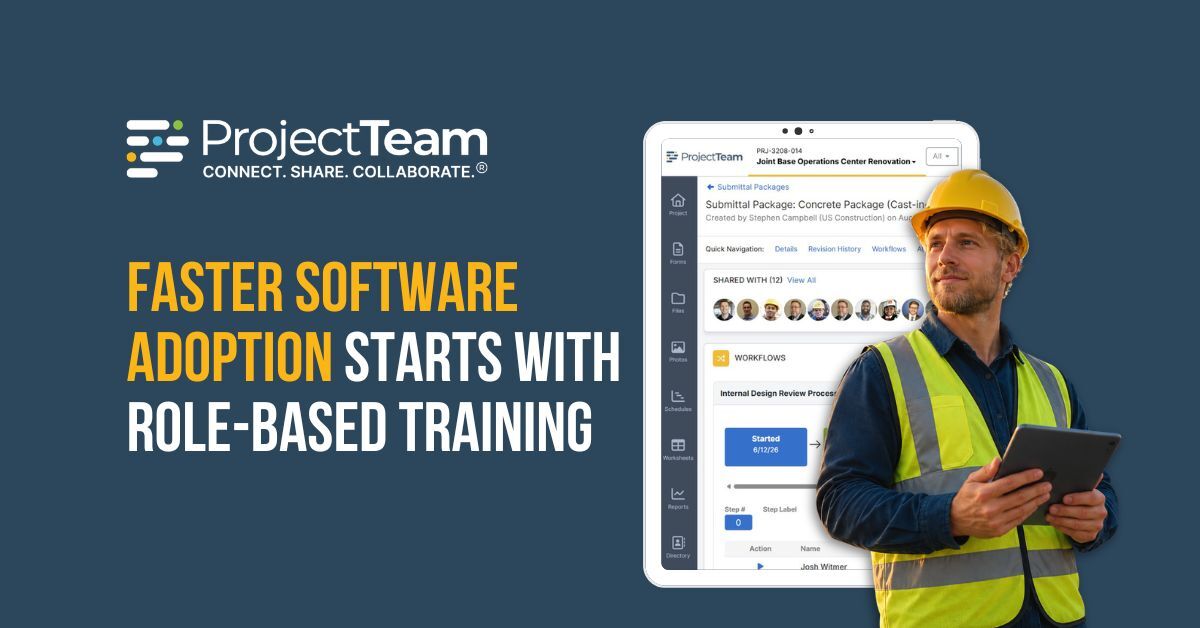
A construction software switch moves your projects over in stages. First, you choose your new construction platform, then you migrate your project data. After that comes the part that decides whether the switch pays off: the people who use it every day need to actually use it.
A platform can hold every record correctly and still fail if the team never adopts it. This post answers a handful of questions about the people side of a move:
- Why construction software adoption succeeds or fails based on how a team is trained
- What a role-based training session covers, and why the platform being configured first is important
- What each project role trains on, and what people can do once training ends
To see how a switch works from start to finish, read the step-by-step guide to switching your construction management software.
Construction Software Training Summary
- Construction software adoption depends on whether project teams can continue their daily work in the new platform after a switch.
- ProjectTeam trains by role, with separate 90-minute sessions for owners, contractors, designers, and other project participants.
- Training takes place after forms, fields, and approval workflows have been configured to match the organization's existing processes.
- Adoption happens faster when a team recognizes its own workflow inside their new platform.
- The Professional Services team that configures the platform also runs the training and stays available after go-live.
Why Construction Software Adoption Fails More Often Than It Should
Construction has a long record of buying software that people stop using. The industry has historically spent less than 1% of revenue on technology, less than a third of what is common in automotive and aerospace, and much of what does get bought never reaches full use.
The issue is rarely whether the software can perform the work. It is whether project teams can see how they should work inside it. When RFIs, submittals, approvals, and other project processes look unfamiliar, people spend as much time learning a new process as they do to understand their latest platform.
Custom construction software, set up to match how a project team already operates, is what makes adoption easier. When the forms, approvals, and workflows feel recognizable, training can focus on where work happens and how records move through the system.
This is where role-based training matters. When a session is designed around what a specific role does, people connect the platform to their own work right away and move from training into live projects without a gap.
Role-Based Training in a New Construction Management System
Role-based training organizes learning around the work people do on a project. Instead of walking through every feature in a construction management system, the session focuses on what one role handles day to day.
A construction firm with contractors, designers, and owners on the same program typically runs a session for each group. Where several roles perform the same tasks, they train together, so the number of sessions matches the number of distinct roles on the project.
ProjectTeam works this way. Each session is scoped to a single role, so people learn the tasks their own job depends on rather than the entire platform. Training is one stage of a larger move, following the custom setup and data migration steps covered in the switch guide.
90 Minutes From a Platform Training Session to Live Project Work
Training is the part of adoption that teams see most directly, but much of the work that makes it effective happens beforehand.
Your Construction Workflows Are Set Up Before Training
The configurations a project team relies on are built into the platform before training begins. By the time teams attend a session, the workflows they will use after go-live are already in place.
Training therefore focuses on using the platform rather than setting it up from scratch. Teams learn how records move through workflows, where information lives, and how the tasks associated with their role are completed inside the system.
The Construction Professionals Who Run Your Training
The people leading a session influence how quickly teams become comfortable in a new platform. ProjectTeam's Professional Services team comes from a construction background, bringing experience with the records and project processes teams work with every day.
Because the same team participates in configuration and training, they can focus on workflows that have already been established during implementation. Teams learn their own process in the new platform rather than in a generic version of the software.
Support continues after a training session ends. The Professional Services team remains available once projects are live, giving teams access to the same people who already understand the implementation when questions arise during early adoption.
Role-Based Training by Project Role in the Platform
A construction project brings together a range of people that will use the construction management platform differently. Because their work varies, a session covers what a given role will actually handle.
The examples below illustrate the types of activities that may be covered.
Owners
An owner session could focus on visibility across projects, records, and approvals, such as:
- Reviewing project status, budgets, and schedule performance across one or more projects
- Reading records and approvals directly, with current information available on demand
- Running the reports and dashboards that show program health
General Contractors
A general contractor session could focus on the records that support day-to-day project execution, such as:
- Managing RFIs, submittals, and the documents that drive coordination
- Handling change orders and tracking cost exposure
- Keeping subcontractors working from current information
Designers and Engineers
A designer or engineer session could focus on review and documentation activities, such as:
- Responding to RFIs and returning submittal reviews
- Tracking drawings and revisions against current information
- Keeping a defensible record of design decisions and responses
Construction Managers
A construction manager session could focus on project oversight and workflow coordination, such as:
- Managing the workflows and approval steps records move through
- Reviewing activity across trades and stakeholders
- Keeping documentation complete and audit-ready
What Your Team Can Do After One Training Session
When a session ends, construction project teams should feel confident working in their live projects the same day, on real records rather than practice data. A team that is productive from the first session has a reason to keep working in the platform.
Day one is just the starting point, and it builds from there as people get faster, pick up shortcuts, and grow more fluent over the first few weeks of regular use. This matches how software adoption works in practice. A session gets people working, and regular use grows platform fluency from there.
How Role-Based Training Speeds Up a Construction Software Implementation
Training by role keeps people from becoming a bottleneck in a construction software implementation. Because each focuses on a specific role, teams learn the records, workflows, and approvals associated with their responsibilities without needing to understand every part of the platform.
People who trained on familiar workflows are ready on the day the platform goes live. When their project data arrives, they already know how to work with it.
Training is only one part of an implementation timeline. Configuration decisions, data preparation, and other implementation factors often have a larger effect on the pace of a move, and understanding what shapes a construction software implementation helps set realistic expectations before a switch.
Frequently Asked Questions on Construction Software Training
Will people be able to do their jobs right after training?
Teams should be ready to perform the responsibilities associated with their role after training. In construction software implementations, training is intended to prepare people to participate in live project activity and begin using the system as part of their daily work.
At ProjectTeam, training is structured around specific project roles. Each group learns how to work with the records and processes most relevant to their responsibilities, then continues building familiarity through regular use.
How long does construction software training take?
Training requirements vary based on the size of the implementation, the number of user groups involved, and the complexity of the workflows being introduced.
ProjectTeam delivers role-based training sessions that typically run 90 minutes. Each session focuses on a single role, keeping the scope focused on the work that the group performs every day.
How many training sessions does a construction firm need?
There is no fixed number. Most organizations divide training according to the different responsibilities that their teams have within a project.
ProjectTeam follows the same approach. Owners, contractors, designers, and construction managers typically train separately, while groups performing similar work can often attend the same session.
Why is a single session enough to start working?
The amount of training required depends heavily on how much change teams experience when they move into a new system. When processes, forms, and approvals reflect the way an organization already operates, people spend less time learning how to get their work done.
ProjectTeam configures the platform before training begins, allowing sessions to focus on how each role carries out its responsibilities within the system.
Get Your Team Working in a Construction Management Software Platform From Day One
A software switch succeeds when people continue working in the new platform after go-live. Teams adopt new software more readily when it reflects the work they already perform and the records they already manage.
ProjectTeam.com is a construction management software platform that combines platform configuration, construction workflow management, user training, and ongoing implementation support through its Professional Services team. That approach helps organizations move from setup to active project use with a consistent team involved throughout the process.
To see how ProjectTeam.com would fit the way your construction project team already works, request a demo.